
Suki Pricing, Features, Cost, And The Best Alternatives In 2026

Introduction
In the rapidly evolving landscape of healthcare technology, AI medical scribes have become essential tools for reducing documentation burden and improving clinical efficiency. Among the prominent names in this space is Suki, a voice-enabled AI assistant designed to help clinicians with documentation, administrative tasks, and EHR navigation. However, as practice managers and healthcare leaders evaluate AI solutions, understanding Suki's pricing, features, cost structure, and available alternatives becomes critical for making an informed decision.
This comprehensive guide examines Suki's offerings, breaks down its cost model, and compares it with leading alternatives in 2026 particularly HealOS, which offers a more comprehensive, unified agent approach to healthcare automation. Whether you're an overwhelmed practice manager seeking to automate workflows or a provider battling documentation burnout, this analysis will help you navigate your options with clarity.
What Is Suki?
Suki is an AI-powered digital assistant specifically designed for healthcare providers. Launched to address the growing administrative burden faced by clinicians, Suki uses voice recognition and natural language processing to assist with clinical documentation, EHR data entry, and information retrieval. The platform positions itself as a 'voice assistant' that listens to physician-patient conversations and generates clinical notes, allowing providers to focus more on patient care rather than typing.
The platform has gained traction in various specialties including primary care, orthopedics, and internal medicine. Suki's core value proposition centers on reducing documentation time, improving note accuracy, and enabling hands-free EHR interaction all critical factors for practices struggling with staffing shortages and provider burnout.
Suki's Key Features
Understanding what Suki offers is essential before evaluating its cost-effectiveness. The platform includes several notable features:
Voice Recognition and Documentation
Suki's primary feature is its ambient voice recognition capability. Physicians can speak naturally during patient encounters, and Suki captures the conversation to generate structured clinical notes. This reduces the need for manual typing and allows for more natural patient interactions.
EHR Integration
Suki integrates with multiple EHR systems, enabling direct data entry and retrieval. The platform supports systems like Epic, Cerner, Athenahealth, and others, though integration depth varies by vendor. This capability is crucial for practices that want seamless workflow integration without switching between multiple applications.
Command and Navigation Features
Beyond documentation, Suki offers voice-command functionality for EHR navigation, order entry, and information lookup. Clinicians can retrieve lab results, check medication lists, or place orders using voice commands streamlining routine administrative tasks.
Specialty-Specific Templates
Suki provides customizable templates tailored to different medical specialties. This ensures that generated notes align with specialty-specific documentation requirements, improving relevance and reducing post-generation editing time.
Mobile and Web Access
The platform is accessible via mobile apps and web browsers, offering flexibility for telehealth visits, hospital rounds, or clinic-based encounters. This multi-platform availability supports diverse care delivery models.
Suki Pricing and Cost Structure
One of the most frequently asked questions about Suki revolves around its pricing. Understanding the cost model is critical for practice managers evaluating ROI and budget alignment.
Subscription-Based Pricing
Suki operates on a subscription-based pricing model, typically charging per provider per month. While exact pricing is not always publicly disclosed and can vary based on practice size, specialty, and negotiated contracts, industry reports suggest that Suki's pricing ranges from approximately $300 to $400 per provider per month. Some sources indicate tiered pricing based on usage volume and feature access.
Implementation and Onboarding Costs
Beyond the monthly subscription, practices should consider implementation and onboarding costs. These may include initial setup fees, training sessions for staff and providers, and EHR integration customization. Depending on practice size and complexity, these costs can add several thousand dollars to the upfront investment.
Hidden Costs and Considerations
It's important to account for potential hidden costs such as ongoing support fees, upgrades, and costs associated with EHR integration maintenance. Additionally, practices may incur expenses related to hardware (e.g., microphones, headsets) or IT support to ensure optimal performance.
Return on Investment (ROI)
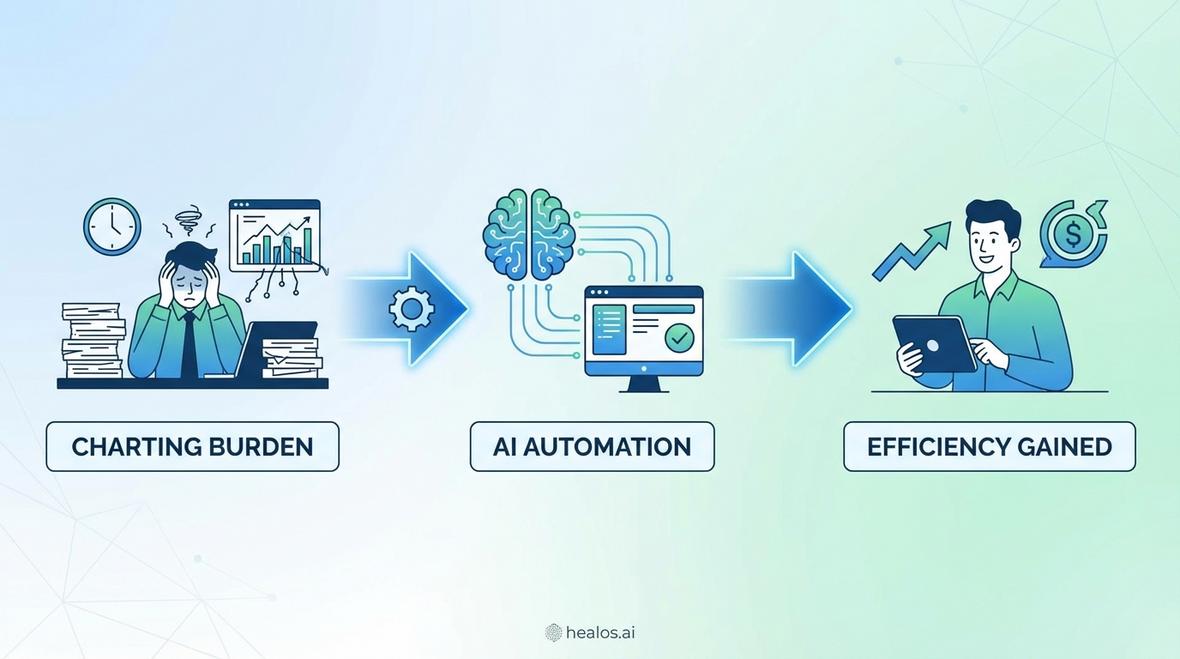
Despite the costs, many practices report positive ROI from reduced documentation time and increased patient throughput. According to user testimonials and case studies, clinicians using Suki can save 1-2 hours per day on documentation tasks, translating to increased patient volume and reduced after-hours charting commonly referred to as 'pajama time.'
Suki's Strengths and Limitations
Every technology solution has trade-offs. Here's a balanced view of Suki's strengths and limitations:
Strengths
- Voice-First Design: Suki's voice-centric interface is intuitive and reduces reliance on typing, which is particularly beneficial for providers experiencing repetitive strain injuries or those who prefer verbal communication.
- EHR Compatibility: The platform's integration with major EHR systems minimizes workflow disruption and supports seamless data exchange.
- Specialty Customization: Tailored templates for different specialties improve documentation accuracy and relevance.
- Time Savings: Users commonly report significant reductions in documentation time, leading to improved work-life balance and reduced burnout.
Limitations
- Pricing Transparency: Suki's pricing is not always clearly published, requiring potential customers to engage in sales conversations to obtain quotes. This can be a barrier for smaller practices seeking straightforward cost information.
- Limited Scope: While Suki excels at documentation, it does not offer the breadth of automation capabilities found in more comprehensive platforms. For instance, it lacks robust solutions for revenue cycle management, insurance eligibility verification, or referral management.
- Accuracy Variability: Voice recognition accuracy can vary based on ambient noise, accents, and speaking patterns, occasionally requiring manual corrections.
- Integration Depth: While Suki integrates with many EHRs, the depth and functionality of these integrations can differ, sometimes limiting advanced features or requiring workarounds.
Best Alternatives to Suki in 2026
For practice managers and healthcare leaders seeking alternatives to Suki, several compelling options exist. The choice depends on specific practice needs, budget constraints, and desired feature sets.
HealOS: The Unified Agent Approach
HealOS stands out as a comprehensive alternative that goes beyond basic documentation. Unlike Suki, which focuses primarily on AI scribing, HealOS offers a unified agent platform that automates administrative workflows across the entire practice. This includes:
- AI Scribe: Ambient clinical documentation with customizable templates and multi-language support.
- AI Receptionist: Automated patient intake, medical answering, and follow-up calls.
- Revenue Cycle Management: Comprehensive claims follow-up, underpay detection, and AR monitoring.
- Insurance Automation: Automated benefit checks, prior authorizations, and denial management.
- Document Automation: Intelligent fax processing and EOB extraction.
For overwhelmed practice managers seeking to scale operations without increasing headcount, HealOS provides a holistic solution that addresses both clinical and administrative pain points. The platform's seamless EHR integration and unified approach reduce the need for multiple disparate tools, simplifying vendor management and training.
Freed AI
Freed AI is another voice-enabled medical scribe that emphasizes ease of use and quick setup. It offers competitive pricing and focuses on generating SOAP notes rapidly. However, like Suki, its scope is limited primarily to documentation, lacking the broader operational automation that HealOS provides.
DeepScribe
DeepScribe uses ambient AI to capture patient encounters and generate clinical notes. It integrates with major EHR systems and is known for high accuracy rates. Pricing is similar to Suki, typically ranging from $300 to $500 per provider per month. DeepScribe is a solid choice for practices focused solely on documentation improvement.
Heidi Health
Heidi Health offers AI-powered documentation with a focus on mental health and primary care specialties. The platform provides customizable templates and robust privacy features. Pricing is competitive, though it may require custom quotes for larger practices.
Nabla
Nabla is a European-based AI scribe platform gaining traction in the U.S. market. It offers ambient listening and structured note generation with strong privacy protections. Nabla's pricing is generally in the mid-range compared to Suki, making it an attractive option for privacy-conscious practices.
Side-by-Side Comparison: Suki vs. HealOS and Others
| Feature | Suki | HealOS | Freed AI | DeepScribe |
|---|---|---|---|---|
| AI Scribe | Yes | Yes | Yes | Yes |
| Voice Commands | Yes | Limited | No | No |
| EHR Integration | Extensive | Extensive | Moderate | Extensive |
| AI Receptionist | No | Yes | No | No |
| RCM Automation | No | Yes | No | No |
| Insurance Automation | No | Yes | No | No |
| Pricing Transparency | Low | High | Moderate | Low |
| Monthly Cost (per provider) | $300-$400 | Varies, competitive | $99-$299 | $300-$500 |
Why HealOS Is Ideal for Overwhelmed Practice Managers
For the Overwhelmed Practice Manager persona focused on automating administrative workflows, reducing claim denials, and achieving operational efficiency HealOS offers distinct advantages over Suki and other single-point solutions.
Unified Platform, Reduced Vendor Management
Managing multiple vendors for scribing, billing, and front-desk automation creates complexity and increases administrative overhead. HealOS consolidates these functions into a single platform, simplifying training, support, and billing reconciliation.
Financial Health and Claim Denial Reduction
According to research from the Medical Group Management Association (MGMA), claim denials cost practices significant revenue and administrative time. HealOS's integrated denial management and claims follow-up tools proactively address these issues, improving cash flow and reducing the need for manual follow-up.
Scalability Without Increasing Headcount
HealOS's automation capabilities enable practices to handle higher patient volumes and administrative complexity without hiring additional staff. This directly addresses the pain point of staffing shortages and reduces the burden on existing team members, mitigating provider and staff burnout.
Seamless EHR Integration
HealOS supports integration with a wide array of EHR systems, ensuring that data flows smoothly across clinical and administrative workflows. This reduces the need for double data entry and minimizes errors.
How to Choose the Right AI Medical Scribe for Your Practice
Selecting the right AI solution requires careful evaluation of several factors:
Identify Your Practice's Specific Needs
Determine whether your primary pain point is documentation, billing, patient engagement, or a combination. If documentation is the sole focus, Suki or DeepScribe may suffice. For broader operational needs, consider HealOS.
Evaluate EHR Compatibility
Ensure the AI platform integrates seamlessly with your existing EHR system. Request demonstrations and references from practices using similar EHR environments.
Assess Pricing and ROI
Compare total cost of ownership, including subscription fees, implementation costs, and ongoing support. Calculate potential ROI based on time savings, reduced denials, and increased patient throughput.
Consider Vendor Support and Training
Evaluate the quality of customer support, training resources, and onboarding assistance. A responsive support team can significantly impact user adoption and satisfaction.
Review Security and Compliance
Ensure the platform meets HIPAA requirements and maintains robust data security measures. Request documentation of compliance certifications and security audits.
Implementation Best Practices for AI Medical Scribes
Successful implementation of AI scribes like Suki or HealOS requires strategic planning:
Engage Stakeholders Early
Involve clinicians, administrative staff, and IT teams from the outset. Their input ensures the chosen solution aligns with workflow realities and technical requirements.
Start with a Pilot Program
Consider a phased rollout, beginning with a small group of providers or a single department. This allows you to identify and address issues before full-scale deployment.
Invest in Training
Provide comprehensive training for all users. Hands-on sessions, video tutorials, and ongoing support improve user confidence and adoption rates.
Monitor Performance and Gather Feedback
Track key metrics such as documentation time, note accuracy, and user satisfaction. Regularly solicit feedback and make adjustments as needed.
Future Trends in AI Medical Scribing and Healthcare Automation
The AI medical scribe market is rapidly evolving. Several trends are shaping the future:
Integration with Predictive Analytics
Future platforms will combine documentation with predictive analytics, identifying at-risk patients and recommending interventions based on clinical notes.
Enhanced Interoperability
Improved standards and APIs will enable deeper integration across disparate systems, reducing data silos and improving care coordination.
Multi-Language Support
As patient populations become more diverse, AI scribes with robust medical translation capabilities will become essential for providing equitable care.
Expanded Automation Beyond Documentation
Platforms like HealOS exemplify the shift toward comprehensive automation, encompassing not just scribing but also billing, scheduling, and patient engagement creating true end-to-end workflow solutions.
Frequently Asked Questions
How much does Suki cost per provider per month?
Suki's pricing typically ranges from $300 to $400 per provider per month, though exact costs depend on practice size, specialty, and contract terms. It is advisable to request a custom quote directly from Suki.
Is Suki better than HealOS for small practices?
It depends on your needs. If you require only documentation support, Suki is a strong option. However, if you seek comprehensive automation including billing, patient engagement, and insurance tasks HealOS offers greater value and scalability without the need for multiple vendors.
Does Suki integrate with my EHR?
Suki integrates with major EHR systems such as Epic, Cerner, Athenahealth, and others. Confirm specific integration capabilities with Suki's sales team based on your EHR platform.
Can AI medical scribes reduce provider burnout?
Yes. According to a study published by the American Medical Association, reducing documentation burden through AI tools can significantly decrease clinician burnout and improve job satisfaction by freeing up time for patient care.
What are the hidden costs of implementing Suki?
Potential hidden costs include implementation fees, training expenses, hardware purchases (microphones, headsets), ongoing IT support, and EHR integration customization. Always request a detailed cost breakdown before committing.
How does HealOS compare to Suki in terms of ROI?
HealOS often delivers higher ROI for practices seeking comprehensive automation because it addresses multiple administrative pain points documentation, billing, patient engagement, and insurance tasks within a single platform. This reduces the need for multiple subscriptions and streamlines operations.
Conclusion
Choosing the right AI medical scribe is a critical decision for practice managers and healthcare leaders navigating the challenges of staffing shortages, provider burnout, and operational inefficiency. While Suki offers robust voice-enabled documentation and EHR navigation, its pricing and limited scope may not fully address the multifaceted needs of today's healthcare practices. For overwhelmed practice managers seeking to automate workflows, reduce claim denials, and scale without increasing headcount, HealOS presents a compelling alternative with its unified agent approach, seamless EHR integration, and comprehensive automation capabilities. By carefully evaluating features, pricing, and alignment with your practice's goals, you can select a solution that maximizes ROI and transforms clinical and administrative efficiency in 2026 and beyond.