
Sully AI Pricing, Features & Best Alternatives In 2026: Complete Guide

Understanding Sully AI in the Healthcare Automation Landscape
As healthcare practices face mounting administrative pressures, sully ai has emerged as one of several AI-powered solutions promising to streamline clinical workflows. Practice managers overwhelmed by staffing shortages and physicians drowning in documentation burdens are actively exploring tools that can automate repetitive tasks without adding headcount.
According to research from the CDC's National Health Statistics Reports, physicians spend nearly twice as much time on electronic health record (EHR) and desk work averaging 1.7 hours per day after hours compared to direct patient care, contributing significantly to burnout. This stark reality has accelerated adoption of AI solutions across the industry.
The HIMSS AI adoption statistics reveal that 66% of U.S. hospitals adopted AI tools by 2025, with 22% using domain-specific agents for administrative tasks like scheduling and coding. Understanding where sully ai fits within this expanding ecosystem and how it compares to comprehensive alternatives is essential for practice managers making strategic automation investments.
What Is Sully AI and What Does It Offer?
Sully ai positions itself as an AI-driven platform designed to assist healthcare providers with clinical documentation and workflow optimization. The platform typically focuses on ambient listening technology that captures patient-provider conversations and generates clinical notes automatically.
Key features commonly associated with sully ai include:
- Ambient Clinical Documentation: Recording and transcribing patient encounters in real-time
- Note Generation: Creating SOAP notes and other clinical documentation formats
- EHR Integration: Connecting with existing electronic health record systems
- Voice Recognition: Converting spoken conversations into structured text
- Template Customization: Allowing providers to adjust note formats to their preferences
While these capabilities address documentation burden, practice managers should evaluate whether sully ai extends beyond scribing to tackle the full spectrum of administrative challenges from front desk automation to revenue cycle management.
Sully AI Pricing: What Practice Managers Need to Know
Pricing transparency remains a critical concern for overwhelmed practice managers evaluating AI automation platforms. Sully ai pricing information is not always readily available on their public website, which typically requires potential customers to request custom quotes through sales consultations.
Based on industry patterns for similar ambient AI documentation tools, pricing models generally follow these structures:
Typical Pricing Models for AI Scribe Solutions
- Per-Provider Monthly Subscription: Ranging from $99 to $399 per provider per month depending on features
- Per-Encounter Pricing: Charging between $1 to $5 per patient visit documented
- Tiered Plans: Offering basic, professional, and enterprise levels with varying capabilities
- Annual Contracts: Requiring 12-month commitments with potential discounts
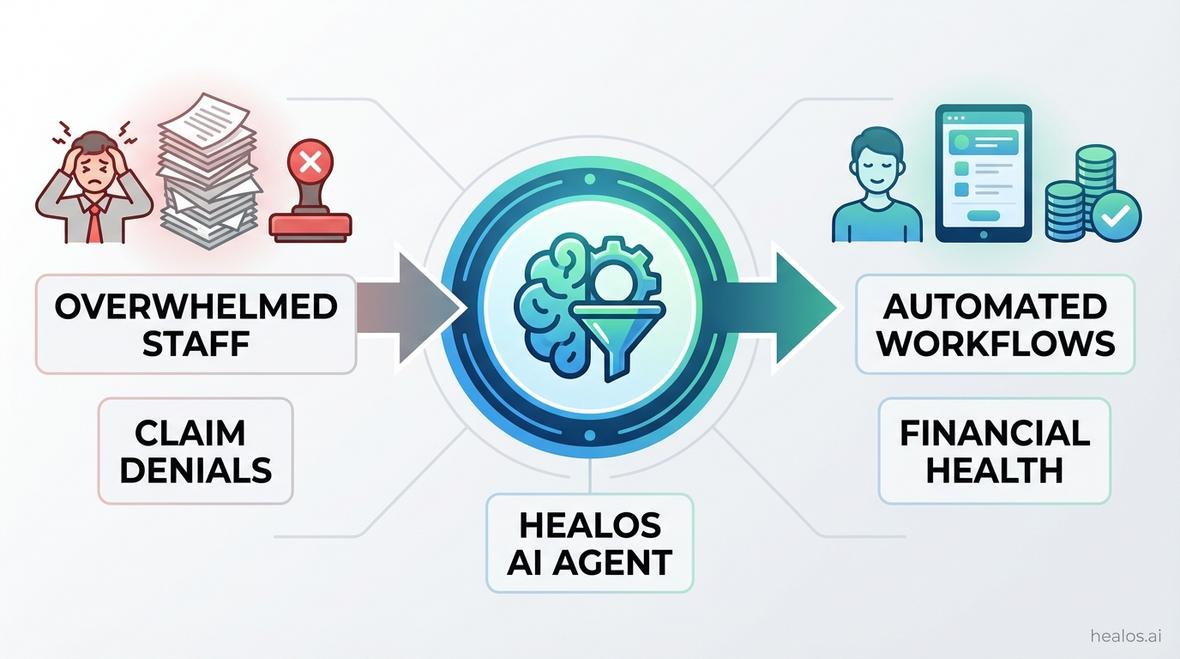
The lack of published pricing for sully ai can complicate budgeting for practices already operating with thin margins. For transparency-focused alternatives, platforms like HealOS provide clear pricing structures upfront, enabling practice managers to calculate ROI before sales conversations.
Hidden Costs to Consider
Beyond base subscription fees, practice managers should investigate:
- Implementation Fees: One-time setup charges that can range from $500 to $5,000
- Training Costs: Time investment for staff onboarding and workflow adaptation
- Integration Expenses: Custom EHR connection development or API access fees
- Support Tiers: Premium support options that may require additional monthly fees
- Per-User Scaling: How costs increase as practice adds providers or locations
For practices focused on financial health and reducing claim denials, understanding total cost of ownership becomes paramount before committing to any platform.
Evaluating Sully AI Features Against Practice Manager Needs
The overwhelmed practice manager typically prioritizes three critical outcomes: automating administrative workflows, addressing staffing shortages, and preventing provider burnout. How do sully ai features align with these core goals?
Documentation Automation Capabilities
Sully ai primarily addresses clinical documentation through ambient listening and note generation. This tackles one significant pain point excessive charting time that contributes to provider burnout. However, documentation represents just one component of the administrative burden overwhelming practices.
Comprehensive automation requires extending beyond scribing to include:
- Patient Intake Automation: Digital forms and pre-visit data collection
- Appointment Scheduling: AI-powered booking and calendar management
- Insurance Verification: Automated eligibility checks and benefit verification
- Prior Authorization Processing: Streamlined approval workflows
- Claims Submission: Automated coding and billing processes
Platforms offering unified agent approaches where multiple AI agents handle interconnected workflows provide more comprehensive solutions for practice managers seeking to scale without increasing headcount. HealOS's unified agent architecture exemplifies this approach.
EHR Integration and Interoperability
Seamless EHR integration ranks as a top priority for practice managers disconnected systems create more work rather than reducing it. Sully ai claims compatibility with major EHR platforms, but integration depth varies significantly across solutions.
Critical integration questions include:
- Native vs. Third-Party Connections: Direct API access versus middleware requirements
- Bi-Directional Data Flow: Can information move seamlessly both ways?
- Real-Time Synchronization: Immediate updates or delayed batch processing?
- Custom Field Mapping: Flexibility to match your specific EHR configuration
- Multi-System Support: Handling practices using multiple EHR platforms
For practices with complex technology ecosystems, platforms offering flexible EHR integration options and browser-based extensions provide greater deployment versatility.
Sully AI vs. Comprehensive Alternatives: What Practice Managers Should Compare
When evaluating sully ai, practice managers benefit from comparing capabilities, pricing, and implementation approaches across the competitive landscape. The AI healthcare automation market has expanded rapidly, offering solutions with varying specializations.
Sully AI vs. HealOS: A Direct Comparison
While sully ai focuses primarily on clinical documentation, HealOS offers a unified platform addressing the full spectrum of administrative workflows that overwhelm practice managers.
| Feature Category | Sully AI | HealOS |
|---|---|---|
| AI Scribe & Documentation | Core focus with ambient listening | Comprehensive with custom templates and multi-format support |
| Front Desk Automation | Limited or requires additional tools | Complete AI receptionist solution |
| Revenue Cycle Management | Not primary focus | Full RCM automation including denial management |
| Insurance Automation | Basic or requires integration | Comprehensive eligibility verification and prior authorization |
| Pricing Transparency | Custom quotes required | Clear published pricing models |
| Implementation Timeline | Varies by practice | Often under 24-48 hours for basic deployment |
| Unified Agent Approach | Single-purpose tool | Multiple AI agents working together seamlessly |
For the overwhelmed practice manager whose key motivation centers on financial health through reducing claim denials and operational efficiency, the unified approach offers strategic advantages. Rather than managing multiple vendor relationships, a comprehensive platform consolidates administrative automation under one ecosystem.
Other Notable Alternatives in the Market
Beyond sully ai and HealOS, practice managers should be aware of other solutions in the ambient AI documentation space:
- DeepScribe: Focused on ambient documentation with strong physician adoption
- Freed AI: Emphasizes simplicity and quick implementation for small practices
- Heidi Health: Offers both free and paid tiers with basic scribing capabilities
- Suki AI: Voice-enabled assistant with EHR command capabilities
- Nabla: European-based solution expanding into U.S. markets
Each platform brings different strengths, but practice managers should evaluate whether single-purpose documentation tools adequately address their comprehensive administrative challenges or if broader automation platforms better align with scaling objectives.
Implementation and Change Management Considerations
Even the most capable AI platform delivers limited value if implementation proves disruptive or adoption remains low. Practice managers facing staffing shortages cannot afford lengthy deployment timelines or steep learning curves.
Typical Deployment Timeline for Sully AI
While specific timelines for sully ai implementation vary by practice size and complexity, typical ambient AI scribe deployments follow this general pattern:
- Week 1-2: Initial consultation, contract negotiation, and technical assessment
- Week 3-4: EHR integration setup and configuration
- Week 5-6: Provider training and pilot testing with select physicians
- Week 7-8: Full deployment and workflow optimization
This 6-8 week timeline represents a significant commitment for practices operating with lean teams. Platforms offering accelerated deployment some in under 48 hours provide faster time-to-value for urgent staffing challenges.
Staff Training and Adoption Strategies
Provider adoption determines the ultimate success of any AI documentation tool. Sully ai and similar platforms require physicians to adapt speaking patterns and workflows to optimize AI accuracy.
Key training considerations include:
- Initial Onboarding: 1-2 hours of platform orientation per provider
- Workflow Integration: Adjusting exam room procedures to incorporate ambient recording
- Quality Review Processes: Establishing protocols for verifying AI-generated notes
- Ongoing Optimization: Continuous refinement of templates and speaking patterns
- Troubleshooting Protocols: Handling technical issues during patient visits
For practices already struggling with provider burnout, additional training requirements may initially increase stress before delivering relief. Solutions with intuitive interfaces and minimal workflow disruption accelerate adoption and value realization.
Security, Compliance, and Data Protection
Practice managers bear responsibility for protecting patient data and maintaining regulatory compliance. Any AI platform accessing protected health information (PHI) must meet rigorous security standards.
HIPAA Compliance and Sully AI
Sully ai, like all healthcare AI platforms handling PHI, must maintain HIPAA compliance through:
- Business Associate Agreements (BAAs): Formal contracts defining data protection responsibilities
- Data Encryption: Both in-transit and at-rest protection for patient information
- Access Controls: Role-based permissions limiting data exposure
- Audit Trails: Comprehensive logging of all data access and modifications
- Breach Notification Protocols: Defined procedures for security incidents
Practice managers should request detailed security documentation, compliance certifications, and third-party audit reports before committing to any AI platform. Understanding where data is stored, how it's processed, and who can access it remains non-negotiable.
Data Ownership and Portability
Critical questions regarding data ownership include:
- Who owns the AI-generated clinical notes? The practice or the platform?
- Can you export all data if you change platforms? In what formats?
- How is data used for AI model training? Is your patient data anonymized and included?
- What happens to data if the vendor is acquired or shuts down?
Platforms providing clear data ownership policies and portable export options protect practices from vendor lock-in and ensure continuity if technology strategies evolve.
Calculating ROI: Is Sully AI Worth the Investment?
For practice managers motivated by financial health, quantifying return on investment determines whether sully ai or any AI platform justifies its cost.
Direct Cost Savings from Documentation Automation
Consider a typical family practice with 5 physicians, each seeing 25 patients daily:
- Current Documentation Time: 2 hours per provider per day (including after-hours charting)
- Annual Hours Saved: 2,600 hours (5 providers × 2 hours × 260 work days)
- Physician Hourly Rate: $150 average (conservative estimate)
- Annual Value of Saved Time: $390,000
If sully ai pricing runs $300/provider/month ($18,000 annually for 5 providers), the gross ROI appears compelling at over 2,000%. However, practice managers must factor in:
- Remaining Review Time: AI-generated notes still require physician verification (typically 5-10 minutes per encounter)
- Implementation Costs: Setup fees, training time, and workflow disruption
- Accuracy Adjustment: Time spent correcting AI errors or clarifying ambiguous documentation
More realistic ROI calculations suggest 40-60% time savings on documentation burden, still representing significant value but requiring clear-eyed assessment.
Revenue Impact Through Reduced Claim Denials
Beyond time savings, AI platforms can improve financial health by reducing claim denials through:
- More Complete Documentation: Ensuring medical necessity is clearly established
- Accurate Coding: Proper ICD-10 and CPT code selection based on documentation
- Timely Submission: Faster note completion enabling quicker billing cycles
- Appeal Support: Detailed documentation supporting claim appeals
Practices experiencing 5-10% claim denial rates can potentially recapture $50,000-$100,000 annually per provider through improved documentation quality. This revenue protection adds significantly to overall ROI calculations.
When Sully AI Makes Sense and When Alternatives Serve Better
Not every practice has identical needs, and sully ai may align well with specific use cases while falling short for others.
Ideal Use Cases for Sully AI
Sully ai typically serves practices well when:
- Documentation is the primary pain point: Providers spend excessive time charting but other workflows function adequately
- EHR integration is straightforward: Practice uses mainstream EHR systems with established integrations
- Budget focuses on single-point solution: Resources allocated specifically for scribing automation
- Provider burnout centers on after-hours charting: Physicians complete significant work outside clinical hours
When Comprehensive Platforms Serve Practice Managers Better
For overwhelmed practice managers facing multiple administrative challenges, broader platforms like HealOS offer advantages when:
- Staffing shortages extend beyond clinical roles: Front desk, billing, and administrative teams are equally stretched
- Claim denial rates impact financial health: Revenue cycle inefficiencies create cash flow challenges
- Multiple workflow inefficiencies exist: Problems span scheduling, insurance verification, prior authorization, and billing
- Scaling without headcount is strategic priority: Growth plans require automation across all administrative functions
- Vendor consolidation reduces complexity: Managing fewer platforms simplifies IT and reduces integration challenges
The unified agent approach addresses the interconnected nature of practice workflows where inefficient insurance verification creates scheduling bottlenecks, which delay documentation, ultimately causing billing delays and denials.
Frequently Asked Questions About Sully AI
How accurate is Sully AI compared to human medical scribes?
AI scribe accuracy varies based on audio quality, specialty-specific terminology, and accent recognition. Most ambient AI platforms, including sully ai, achieve 85-95% accuracy on initial draft generation, requiring physician review and editing. Human scribes typically achieve 95-98% accuracy but at significantly higher cost ($30,000-$50,000 annually per provider versus $3,000-$5,000 for AI solutions).
Does Sully AI work with all EHR systems?
While sully ai claims broad EHR compatibility, integration depth varies by system. Major platforms like Epic, Cerner, and Athenahealth typically offer more robust integrations, while smaller or highly customized EHR systems may require manual copy-paste workflows or custom development work.
Can Sully AI handle multiple specialties in a group practice?
Most AI scribe platforms, including sully ai, support multiple specialties through customizable templates and terminology libraries. However, highly specialized fields with unique documentation requirements (oncology, cardiology, psychiatry) may require additional configuration and training to achieve optimal accuracy.
What happens if Sully AI makes a documentation error that affects patient care?
Ultimately, the physician bears legal responsibility for all clinical documentation regardless of whether it was AI-generated or human-scribed. This is why all AI platforms require physician review and attestation before finalizing notes. Practices should establish clear quality review protocols and never use AI-generated documentation without verification.
How does Sully AI pricing compare to hiring a medical scribe?
Human medical scribes typically cost $30,000-$50,000 annually per provider when accounting for salary, benefits, training, and turnover. Sully ai and similar platforms generally range from $1,200-$4,800 annually per provider, representing 90-95% cost reduction. However, AI scribes require physician time for review and editing, whereas human scribes often produce more immediately usable documentation.
Can I try Sully AI before committing to a long-term contract?
Trial availability varies by vendor. Some AI scribe platforms offer 14-30 day trial periods or pilot programs for single providers before full deployment. Practice managers should request trial access and specifically test accuracy, EHR integration, and workflow fit before signing annual contracts.
Conclusion
For overwhelmed practice managers evaluating sully ai, the platform offers legitimate value in reducing documentation burden and addressing provider burnout through ambient clinical intelligence. However, practices facing comprehensive administrative challenges staffing shortages, claim denials, and operational inefficiencies may find greater strategic value in unified platforms that automate workflows beyond scribing alone. Understanding your practice's specific pain points, calculating realistic ROI including hidden costs, and comparing alternatives ensures your AI investment delivers maximum operational and financial impact. Whether you choose sully ai or explore broader solutions like HealOS, the key lies in aligning technology capabilities with your practice's unique challenges and growth objectives.